Ingesting Events
Payload Size Limits & Best Practices
Keep webhook payloads as concise as possible (ideally under 1MB - 5MB). Avoid sending large binary data or documents within the webhook payload itself. Instead, pass a URL or reference ID that the receiving endpoint can query to fetch the file. Large payloads sit in the queue (Redis or Postgres) and increase network IOPS, which can degrade cluster throughput. Convoy supports four different message formats to ingest webhook events into Convoy. This section will help you understand each one of them so that you can select an appropriate format for your use case. All these formats can both be ingested from the API or through any message broker. Create, broadcast, fan-out, and dynamic ingest returnuid (the event id) in the 201 body.
Use it to retrieve the event or
list its deliveries with eventId.
Get and
retry a delivery need an event delivery id
from that list. Create does not return a delivery id, because deliveries are written after match.
On the default path the event row appears when the worker runs, so get and list can 404 for a short time after the 201.
If you send an idempotency_key, list deliveries can also filter on idempotencyKey.
Directed
This is the most common structure for ingesting events. With this, you supply anendpoint_id and the data to push to the endpoint.
This integration requires you to create the customer’s endpoint ahead of time and save the endpoint_id so you can use it when dispatching to Convoy.
Use this endpoint to ingest this structure via the API. See the full payload below.
Directed event example
Fan-out
This structure is used to fan out an event to multiple endpoints for a given tenant. It is common and best practice to enable each customer to have more than one endpoint and subscribe to specific events on each endpoint. You can use this structure to offload the task of determining which of the customers’ endpoint to receive the event. All you need to supply in this structure is theowner_id, which represents a unique customer in your business.
Use this endpoint to ingest this structure via the API.
Fanout event example
Broadcast
This one is used to broadcast one event to multiple tenants in your system. A use case for this is web3/blockchain events, where you want to broadcast a social event likecast.created to multiple customers.
With this structure,
you will specify
neither endpoint_id nor owner_id and Convoy will try
to dispatch the event to all endpoints except the endpoint specifically exclude itself through its subscription.
Use this endpoint to ingest this structure via the API.
Broadcast event example
Dynamic
This one is used to ingest and dispatch webhooks without creating endpoints ahead of time. In this mode, you’re using Convoy as a proxy to deliver webhooks. Use this endpoint to ingest this structure via the API.Dynamic event example
201 body still includes uid. Verify does not add a delivery id.
Verifying dynamic events before accepting them
By default the dynamic events endpoint queues the event and returns201 immediately.
Convoy then creates the endpoint and matches a subscription in the background,
so a 201 means the event was accepted, not that it has a delivery target yet.
The body still includes uid. This setting does not add a delivery id to the response.
Set config.verify_dynamic_events to true on the project
(Project Settings › Endpoints Config › Verify Dynamic Events Before Accepting in the dashboard)
to make the request wait for that work to finish.
It is false by default, so existing integrations are unaffected.
With it enabled, the endpoint responds:
201: the event was accepted and its endpoint and subscription were resolved.400: resolve failed, with the reason in the response message. See failure reasons for what each one means.504: resolve did not finish within the instance timeout.503: Convoy could not wait for the result.
504 and 503 the event is already queued and may still resolve and deliver.
Only the answer was lost, not the event.
Send an idempotency_key if you intend to retry these, so the retry is deduplicated
instead of delivered twice.
The wait is capped by the instance settingCONVOY_VERIFY_DYNAMIC_EVENTS_TIMEOUT, in seconds, which defaults to30. Give your HTTP client a timeout longer than that value so it does not give up before Convoy answers.
Custom Headers and Idempotency
Custom Headers
Custom header example
Ifx-convoy-message-typeset to broadcast, the event will be sent to all endpoints in the project, ignoring both theendpoint_idandowner_idvalues.
Overriding the outbound User-Agent
Convoy sendsUser-Agent: Convoy/<version> on every webhook it delivers.
Set User-Agent in custom_headers to send your own value instead:
Custom User-Agent example
Convoy/<version>.
Overriding the User-Agent is gated by a license entitlement (custom_user_agent). On instances without it, Convoy drops the header you set and sendsConvoy/<version>. See paid features for what each license includes.
Idempotency
Idempotency example
When an event with an existing idempotency key is ingested, it is created as a duplicate of the former and can be seen on the dashboard, and no event delivery is created for it.
Events Log
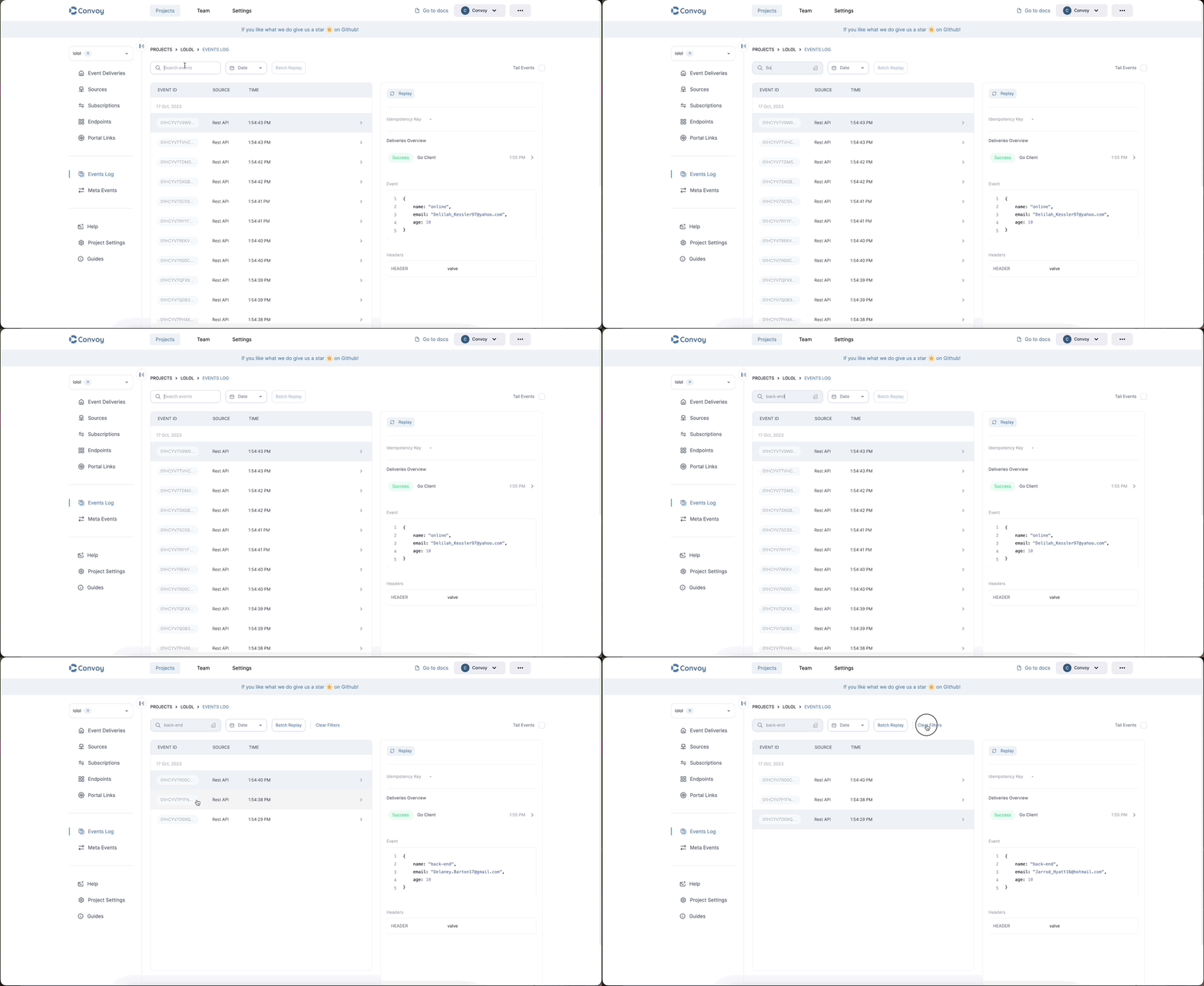
The Events log dashboard represents all webhook events pushed to Convoy. It is a log of events published to Convoy; delivery attempts live on the event deliveries the event generated. The events log page can be accessed from the sidebar.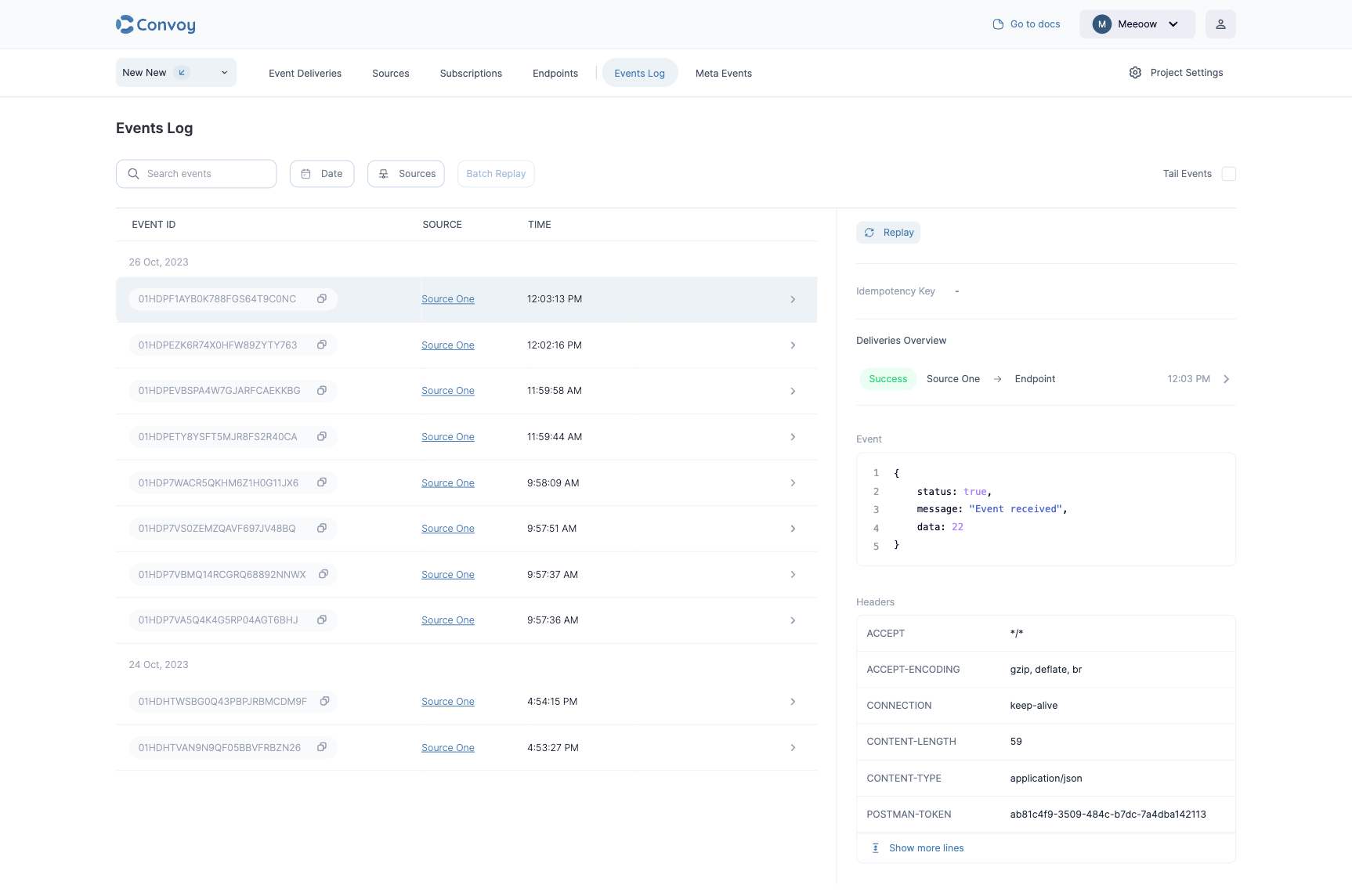
Failure reasons
Most events are accepted and go on to generate event deliveries. An event that Convoy could not route at all is markedFailure and carries a failure reason
explaining why, shown in the event’s detail view when you select it in the log.
Today these come from dynamic events that Convoy could not resolve against the project’s
endpoint URL templates:
These events fail once and stay failed. Convoy does not retry them, because none of these will resolve on their own, and there is no delivery to retry.
Event delivery
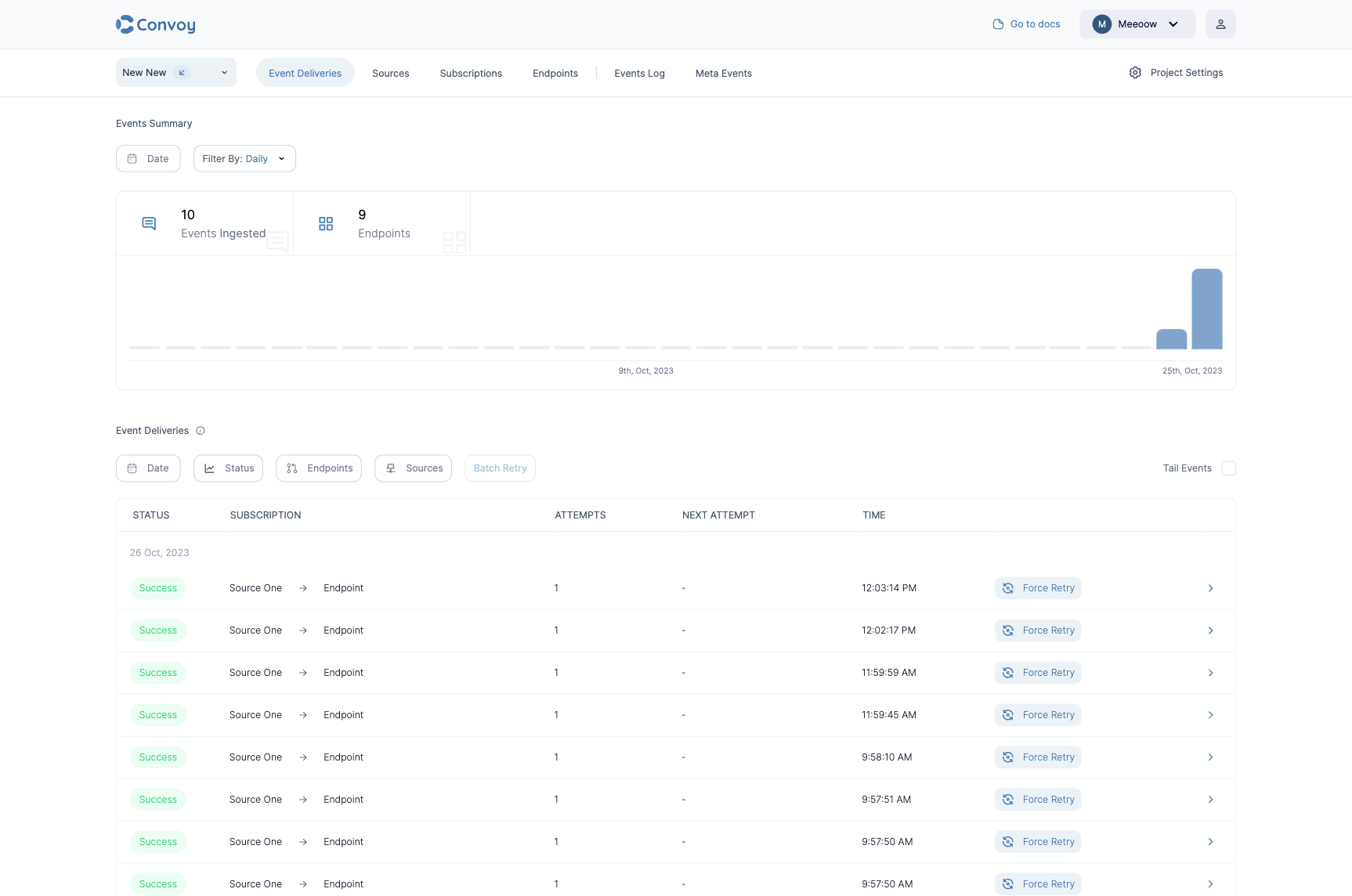
An event delivery is the combination of an endpoint and an event. For both incoming and outgoing webhooks project, an event can generate multiple event deliveries depending on the subscriptions. An event delivery can have any of the states below:Scheduled: In this state, the event delivery has been enqueued to the message broker, but a worker node is yet to pick it up for delivery.Processing: In this state, the event delivery has been retrieved from the message broker by a worker node, and the event is on its way out.Success: In this state, the event delivery delivered successfully. Here, theRetrybutton becomesForce Retry. This is used to retry a successful event in case of a false positive.Retry: In this state, the event delivery previously failed and the automatic retries have kicked in. Here, Convoy will continue to retry till the max attempts is reached.Failure: The delivery ended unsuccessfully, for example because its retry limit was reached or a terminal configuration error prevented dispatch. Inspect its description and attempts before triggering a manual retry.Discarded: In this state, the endpoint has been set toinactive, so Convoy did not try to process events to the endpoint at all. See here on re-activating the endpoint.
Delivery insights
Each event delivery records delivery attempts you can inspect on the details page. For every attempt Convoy captures the URL that attempt called, the request and response headers and payload, the HTTP status and any error, the endpoint IP when a direct connection was established, and requested at / responded at timestamps so you can see exactly when the request left Convoy and when the endpoint replied. The IP is not Convoy’s outbound source IP and can be empty when a forward proxy was used. The delivery itself also carries a human-readable description of its current outcome and an end-to-end latency. For retried deliveries the details page shows the newest attempt as the latest attempt and lays out every attempt in a timeline.Debugging Event Deliveries
For the most part, building a dashboard for webhooks requires building the tools for finding and solving problems easily, this requires the ability to quickly find the affected payload, application, endpoint and most importantly affected customer. There are two ways to debug events in Convoy:Event filtering
You can filter events and event deliveries by date, time, status and endpoints respectively.
504 with Event deliveries took too long. Narrow the date range. Narrow the date range, or filter by endpoint, rather than retrying the same window.
Event search
On a Business plan, the Events log search box finds events in the selected date range (default last 7 days). Text matches the start of an event ID, and any part of an event type, source name, or idempotency key. It does not search inside the payload. A JSON object filters the stored body with exact containment. Every key and value you include must match at the same path. This payload matches a top-level event name, not the same field nested under data:403 for the query and body parameters. A body filter that is not a nonempty JSON object returns 400.