
One of the significant problems of webhook over the years has been the ability to monitor and understand the state of your webhooks service, and that’s a substantial part of what we’re solving with Convoy; as opposed to waiting for users to report failures before you know there is a bug somewhere. Understanding how much of a pain point this is, we built a dashboard that helps you solve this problem.
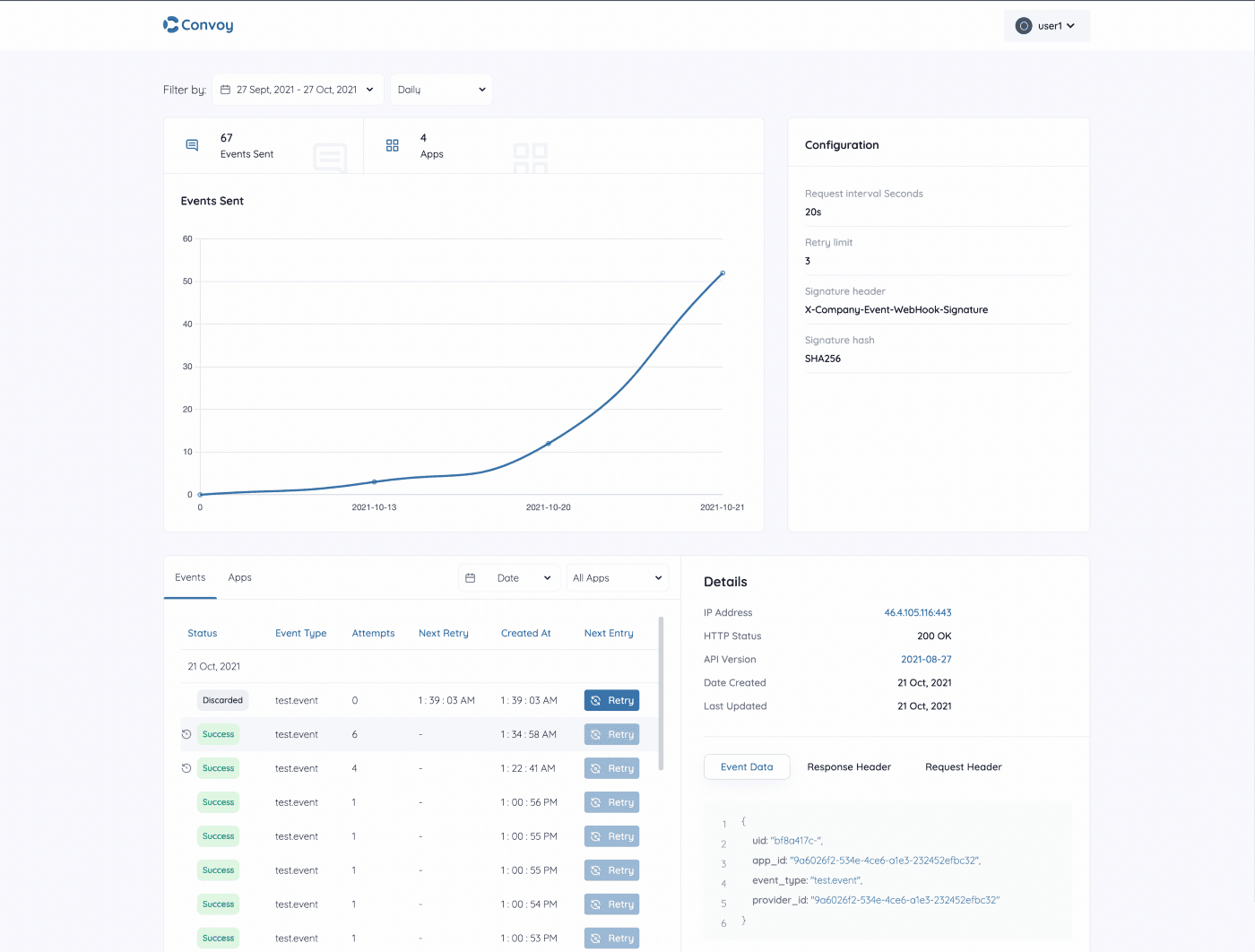
Convoy dashboard helps to monitor two critical metrics:
- Events sent
- Applications

These two things are at your first sight of the dashboard, helping you with the number of events you’ve used convoy to send and the number of applications that received those events.
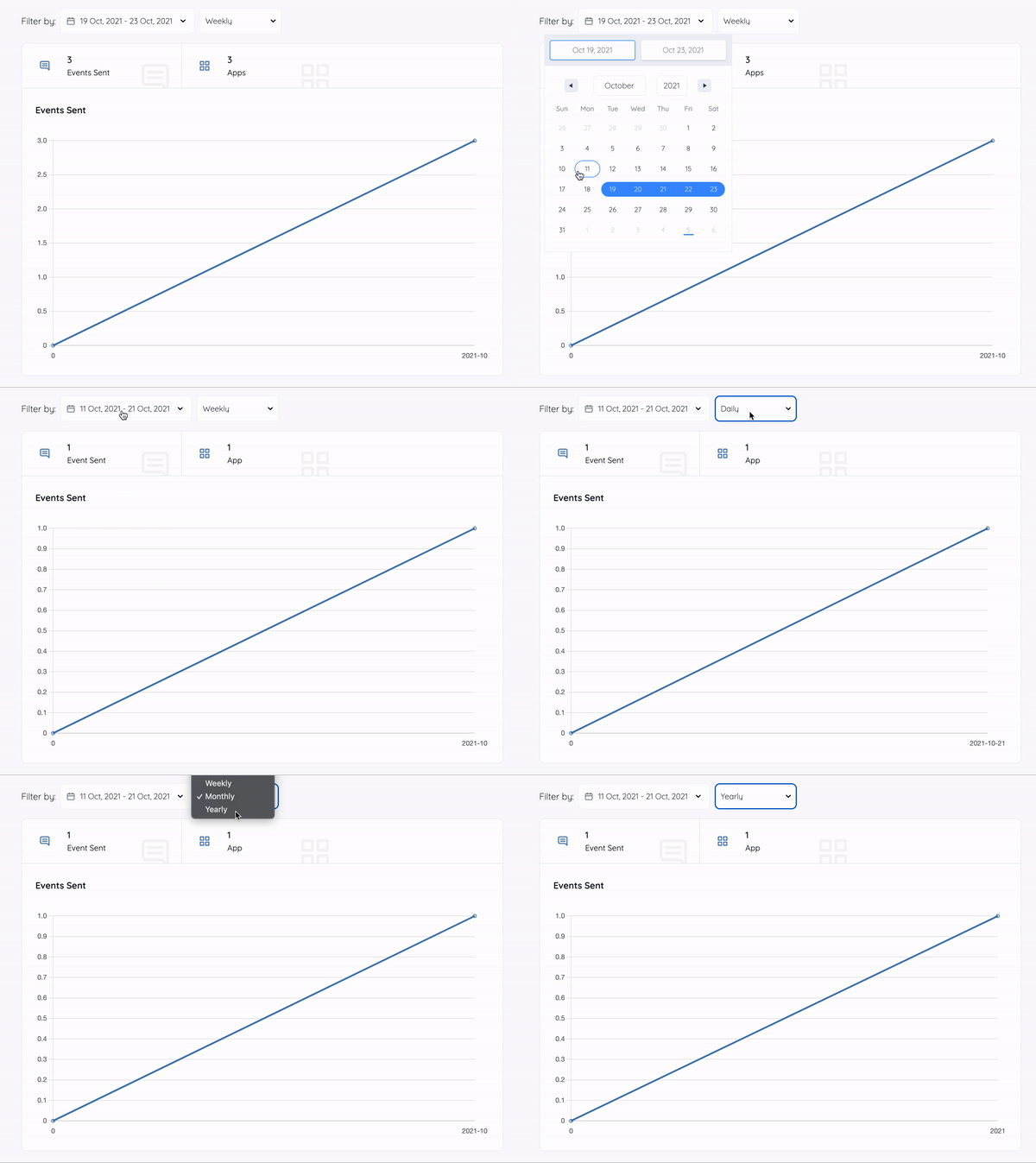
The number of events sent and how they’ve grown over time helps you to have a concept of how your API product has performed so far. You might want to track this daily, weekly, monthly, or yearly. We’ve enabled you to do just that with the chart on the dashboard.
Chart
The chart shows you the metric of events sent over time while making filters (date and frequency) available to tweak your preference quickly.
Configurations
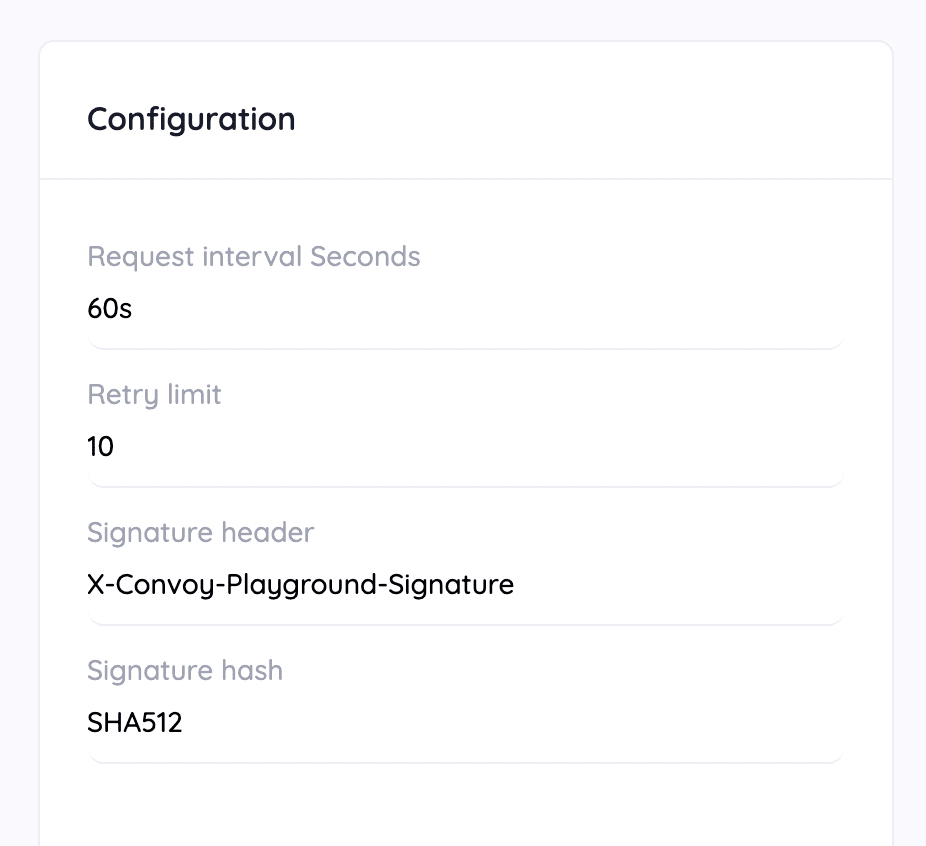
You can get the config details that your convoy instance is currently running on related to your webhooks activities. We itemized these config details (except the security-protected ones) directly beside the chart.
Monitoring
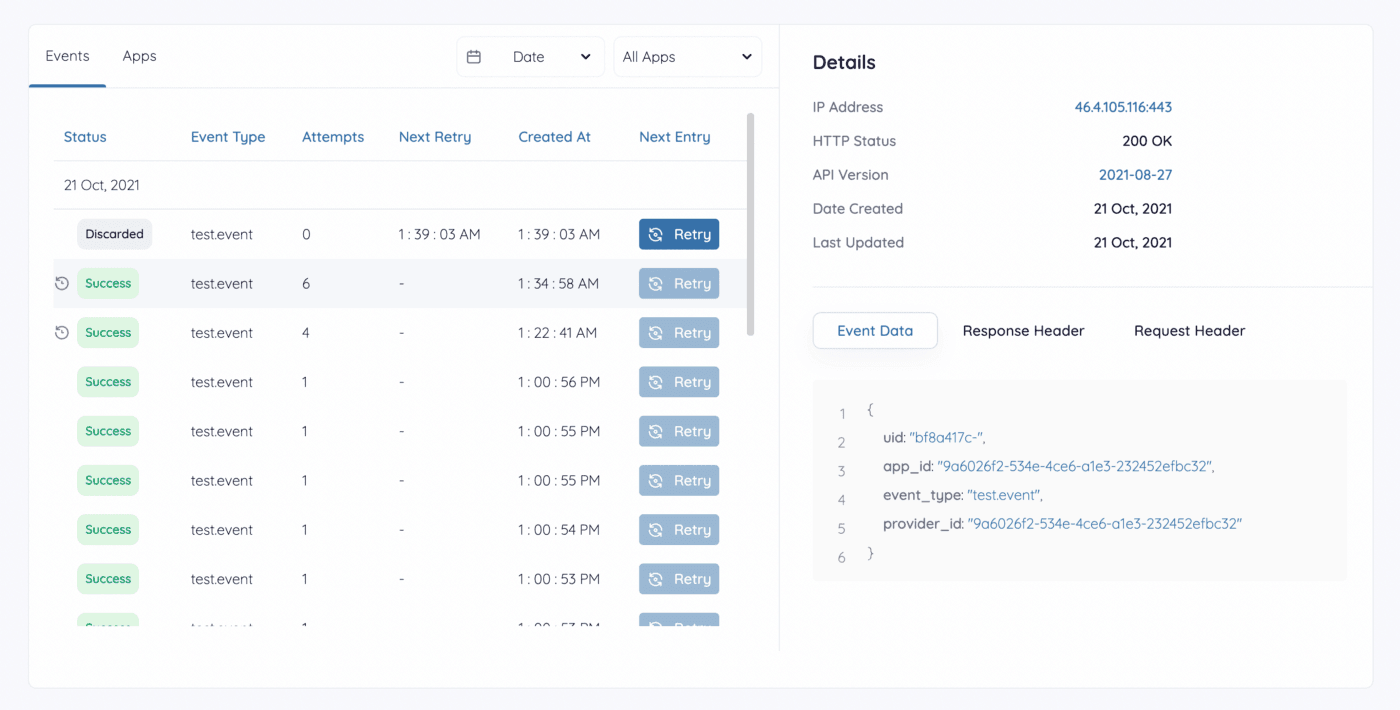
Now down to the critical part, monitoring events. The card on the dashboard shows this in full, along with the list of applications. The card is tabbed into two different sections.
Events
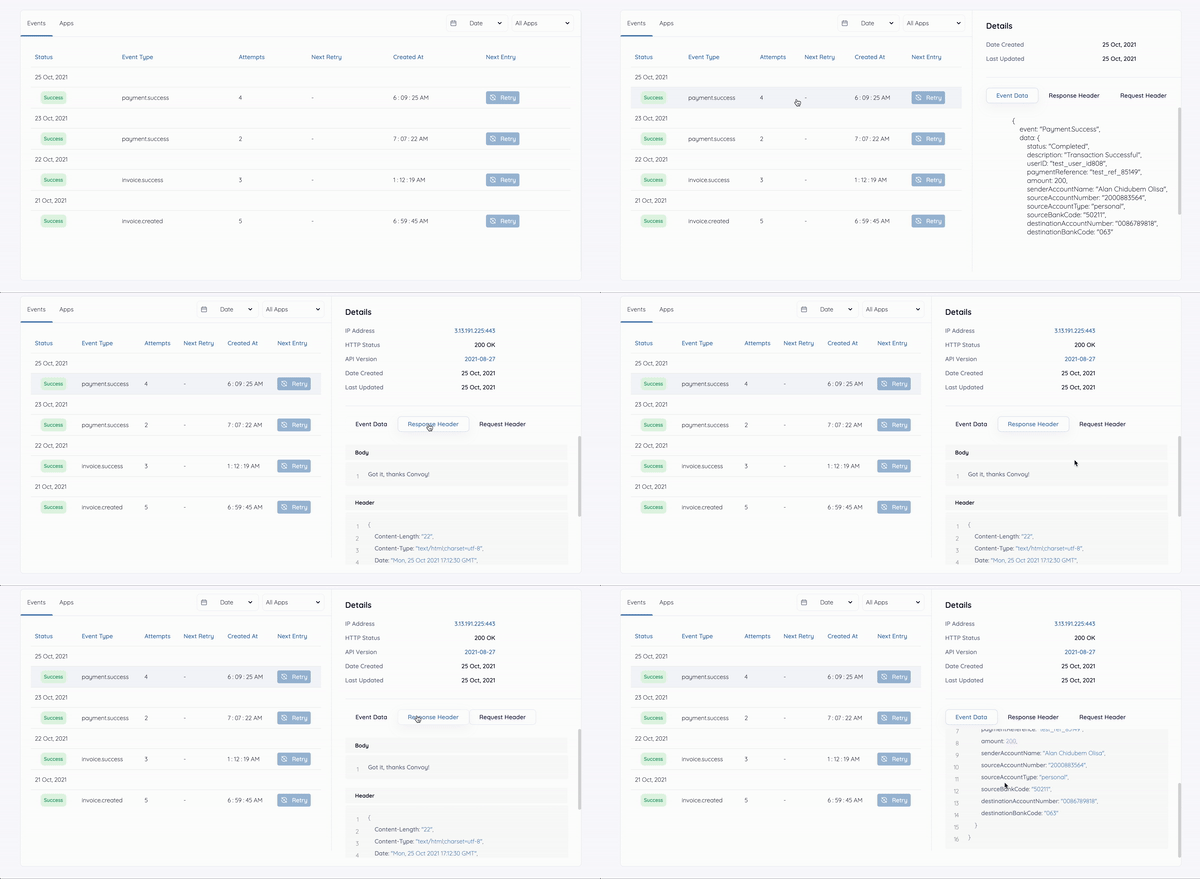
The default active tab is the events tab that shows all your events, paginated into 20 events per page. The events table highlights basic details you need to see to know the status of each event. You can filter your events by Apps (events sent by a specific app) and date (events sent within a particular date frame).
On clicking each event, you can view the event’s last delivery attempt response and request details, i.e. the request header details and response body, along with other information like the IP address, HTTP status, and API version.
Apps
The next tab to events is the apps tab which has a table of apps receiving events. The apps table shows the individual app name, date created, date updated, events no (number of events the app has received), endpoints no (the number of endpoints your system sends endpoints to for that app), and an events button that takes you to the events tab to view events of that specific app.

Furthermore, in the apps table, you can click on each app to open the details tab and show the individual endpoints of that app.
Summary
Convoy dashboard provides you with a graph that shows your event activities, your convoy instance configuration details, a filterable table of events that further gives you details of your events, and a table of apps for an overview of your apps.