> ## Documentation Index
> Fetch the complete documentation index at: https://getconvoy.io/docs/llms.txt
> Use this file to discover all available pages before exploring further.
# Subscriptions
Subscriptions are conduits through which events are routed from a source to a destination (endpoint) in Convoy. In addition to defining how to deliver events, subscriptions can be used to specify what retry strategy to use and how many times you should receive alerts for failing event attempts. They can also be used to trigger a circuit breaker when an endpoint is returning an error multiple times in a row. They represent the core of event routing for both Incoming and Outgoing events.
## How Event Routing Works?
In an Incoming webhooks project, events are routed to a [source](https://getconvoy.io/docs/product-manual/sources); then we subscribe multiple endpoints to receive from that source. If no subscriptions are present, events are only saved in the [Event Log](https://getconvoy.io/docs/product-manual/events-and-event-deliveries) for reference purposes. If subscriptions are present, we match the event against its subscription filters, only endpoints whose subscription filters match will receive events.
In an Outgoing webhooks project, events are routed specifically to an endpoint from the API. If the endpoint has no subscription, we create a subscription that will receive all events on-the-fly, create an event delivery and forward the event to your endpoint. When a subscription is present, we match the event first, against the `event_type` then against the subscription filters. If both are present, both have to be true, else events will not be sent to the endpoint.
Read on to understand how to create subscription filters.
## Creating an Outgoing Subscription
An outgoing subscription can be created both from the API and the UI. The API allows for a full programmatic experience. Creating it from the UI looks like this: 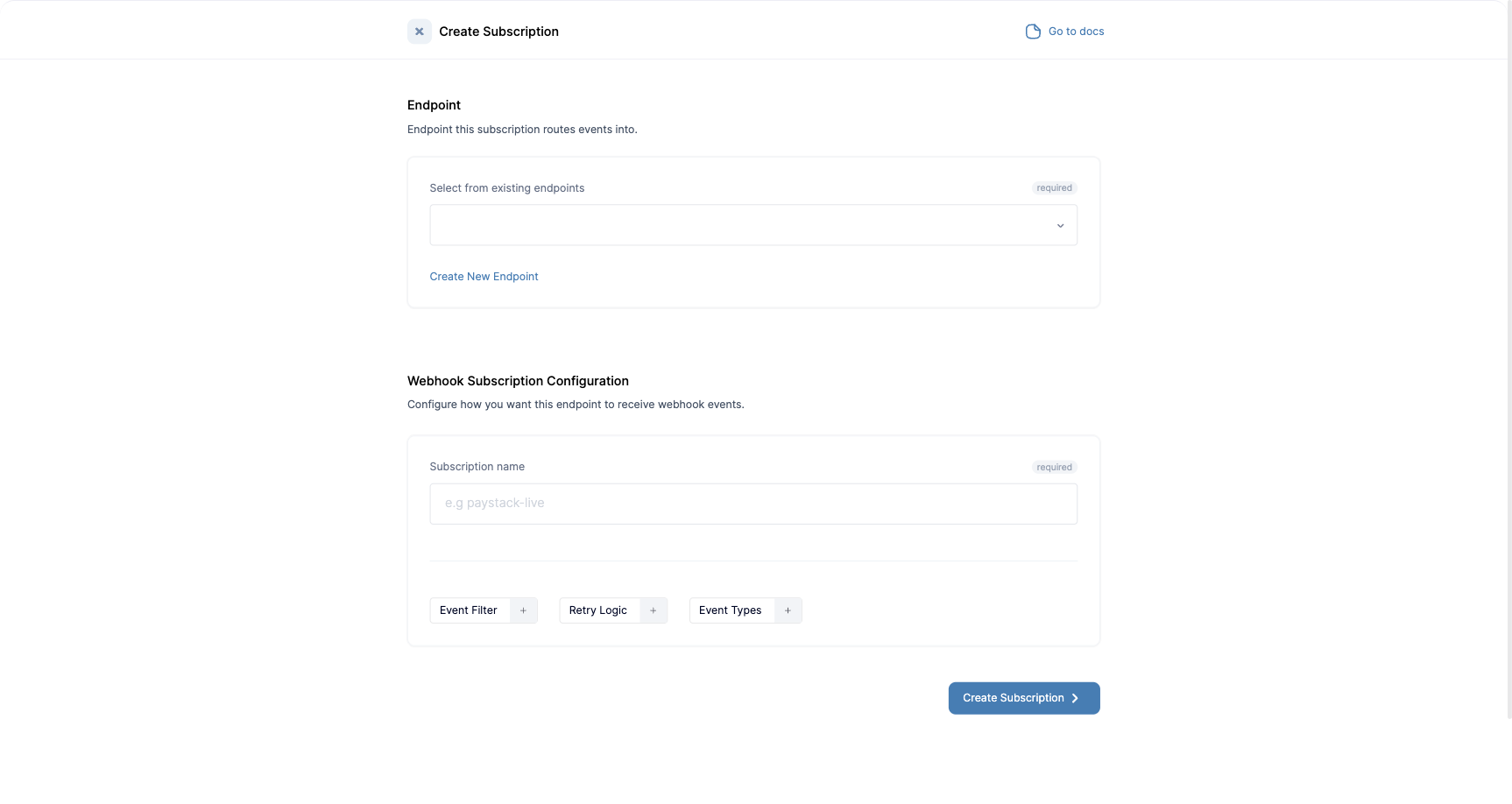 ## Creating an Incoming Subscription
Creating an Incoming subscription from the UI looks like this:
## Creating an Incoming Subscription
Creating an Incoming subscription from the UI looks like this: 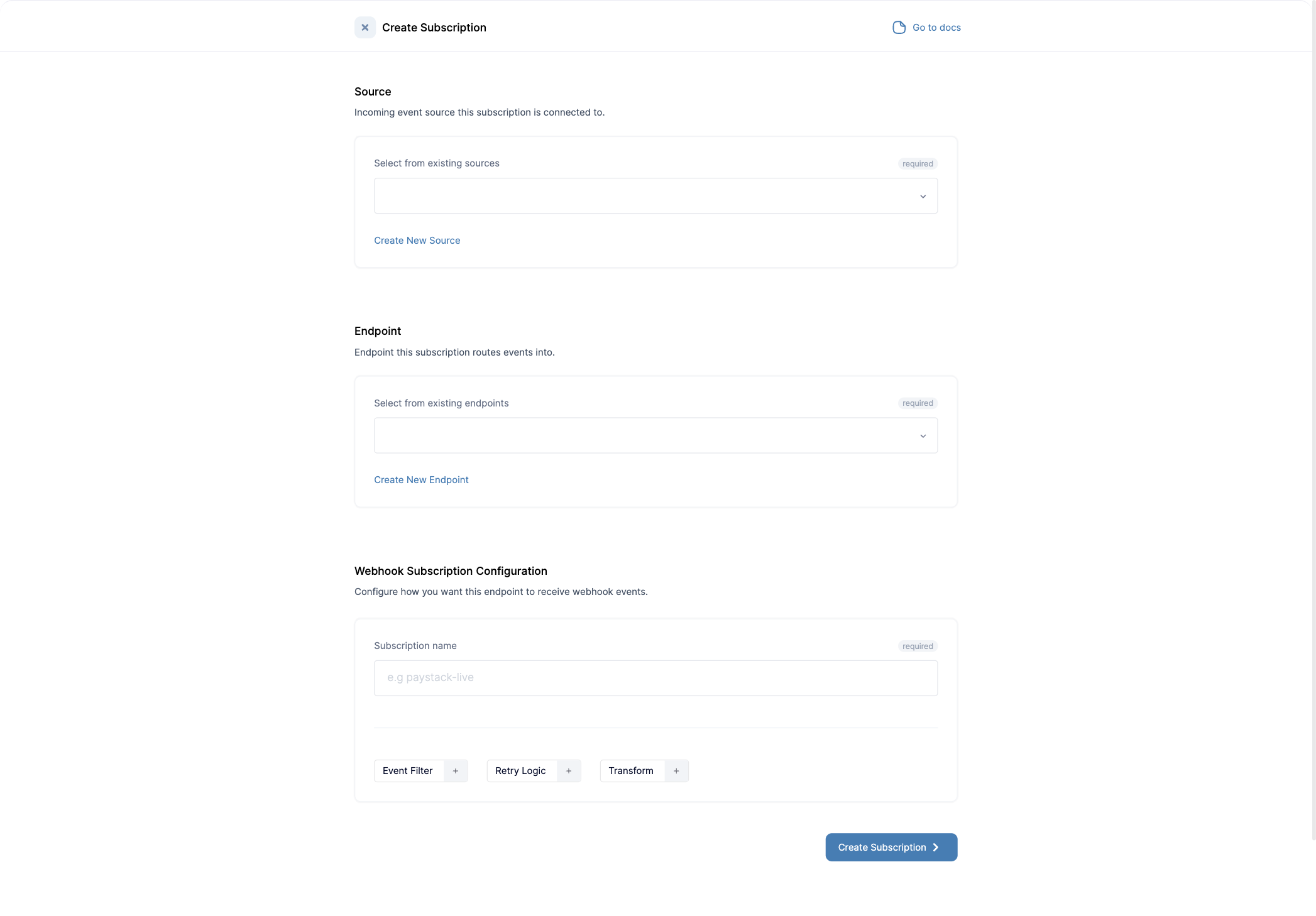 Where you do not want to inherit the subscription configuration details, use the buttons below to add more granular configuration to each subscription.
 ## Delivery modes
Each subscription has a **delivery mode** that controls how Convoy treats responses from your endpoint. Set it when you create or edit a subscription.
* **At least once** (default): Convoy retries failed deliveries using the configured [retry strategy](/webhook-guides/webhook-retries) until your endpoint responds successfully or the retry limit is reached. This is the standard webhook behavior.
* **At most once**: any HTTP response from your endpoint is treated as final, so Convoy does not retry it, even a `5xx`. It still retries when there is no HTTP response at all (for example a network or connection error), up to the subscription's retry limit. Use this when a duplicate delivery is worse than a missed one.
## See also
* [Subscription Filters](../product-manual/filters)
* [Subscription Functions](../product-manual/functions)
## Delivery modes
Each subscription has a **delivery mode** that controls how Convoy treats responses from your endpoint. Set it when you create or edit a subscription.
* **At least once** (default): Convoy retries failed deliveries using the configured [retry strategy](/webhook-guides/webhook-retries) until your endpoint responds successfully or the retry limit is reached. This is the standard webhook behavior.
* **At most once**: any HTTP response from your endpoint is treated as final, so Convoy does not retry it, even a `5xx`. It still retries when there is no HTTP response at all (for example a network or connection error), up to the subscription's retry limit. Use this when a duplicate delivery is worse than a missed one.
## See also
* [Subscription Filters](../product-manual/filters)
* [Subscription Functions](../product-manual/functions)