
Webhook endpoints fail for several reasons, some of which can be:
- Rate Limiting
- Dead endpoints.
- Firewall
- Timeout.
- Random network errors.
- Invalid/Expired SSL certificates
- Server Error.
It is the responsibility of a good webhook delivery system to send out a form of automated notification on these delivery problems. This has been sufficiently written about; you can see this article written by a former Stripe engineer about critical features for your webhooks delivery system.
While this provides great UX for the owner of the endpoint, it also helps to keep your endpoint delivery system efficient — It prevents you from wasting system resources trying to communicate to zombie endpoints. The best practice is to
- Disable the endpoint
- Send out a notification containing the failure reason to the endpoint owner.
- Allow the endpoint owner re-activate the endpoint.
- Replay events that weren’t sent, when the endpoint was down.
This is precisely what Convoy does. Let’s see how this looks like
Failure Notifications
In Convoy, we send out email notifications to failing endpoints. When enabled, the email looks something like this:
Network Errors

Email notifications on network errors.
Server Errors
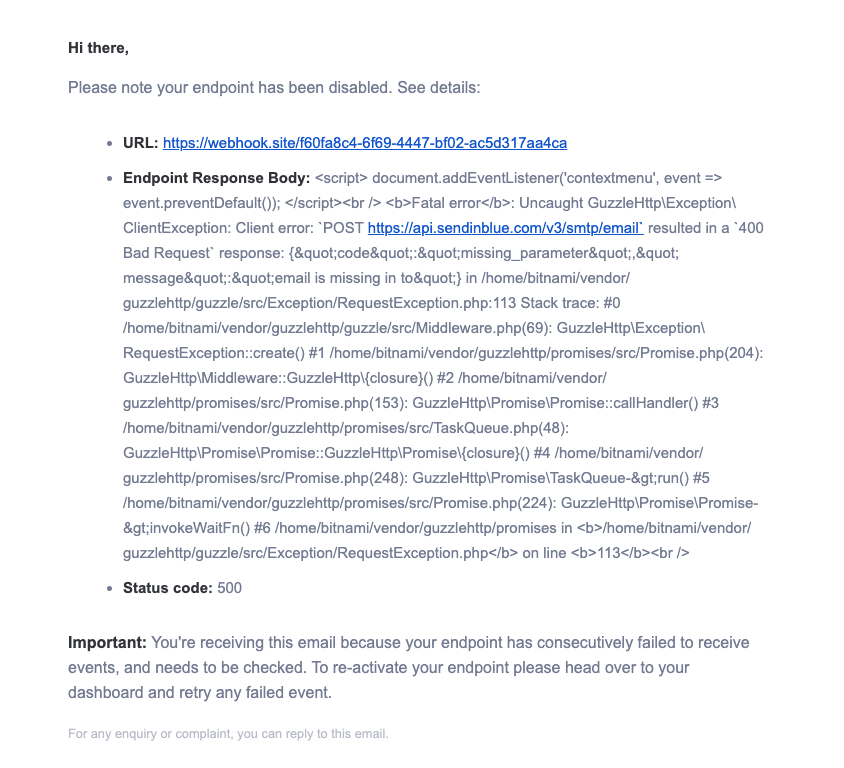
Email notifications on webhook endpoints with the stack trace.
To achieve this with Convoy, do the following:
- Create your endpoint, and set a support email on each endpoint.
- Enable notifications on the endpoint.
- Provide a dashboard for users to re-activate their endpoints. To provide this, we built an endpoint portal you can easily share with your users.
- To replay missed events, users can filter for discarded events (events sent when the endpoint was dead) and batch retry all of them.
Conclusion
In this article, we expanded on why it’s important to publish endpoint notifications, the best practices on webhook failure notifications, how this works in Convoy, and how this works in Convoy.
If this sounds interesting, we hope you try it out and give us some feedback.